
Routines: what to do on a shift
A routine is the sequence of actions an employee performs on a shift: open the location, clean the restrooms every two hours, receive a delivery, close the shift. The employee goes through the steps in the mobile app and marks each one — with a photo, a measurement, or a reason if it can't be done. There are no scores: you only see whether it was done, on time, by whom, and where issues came up.
Routine or audit checklist
jeCheck has two different tools. A routine helps you do the work; an audit checklist helps you check the result.
| Routine | Audit checklist | |
|---|---|---|
| Purpose | do the job right and forget nothing | check whether the standard is met |
| Who fills it in | the person doing the work: cook, cashier, housekeeper, cleaner | the checker: manager, auditor, mystery shopper |
| When | every shift: on schedule, in a chain or on an event | selectively: as planned or unannounced |
| Item | an action: “Refill soap”, “Wipe the tables” | a condition: “Is there soap?”, “Are the tables clean?” |
| Result | done or not, on time or not, by whom, photos, reasons — no scores | a percentage, violations, location ranking |
| If there's an issue | a task or another routine starts automatically | violation → a task to fix it |
They work best together: routines every day, audits selectively. If routines are “done” but audits find violations, steps are being marked without looking — you'll see this in routines analytics.
An audit checklist can be turned into a routine — see How to create a routine.
Menu items
- Work → Routines — a section with three tabs:
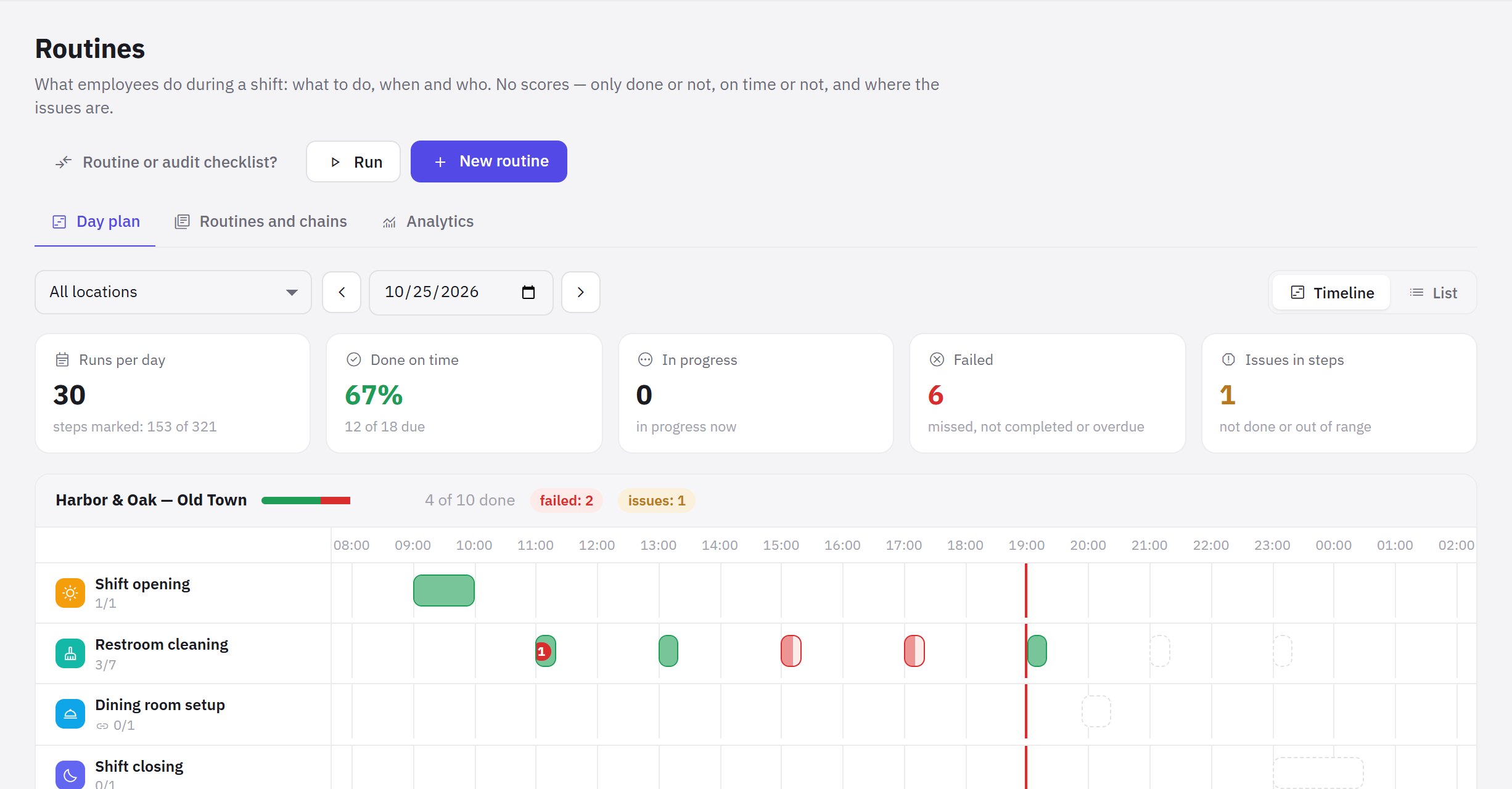
- Day plan — all runs at your locations for the day as a timeline or a list, with totals and a card for each run. See Day plan.
- Routines and chains — the company's routine library, templates by type of business and AI drafts.
- Analytics — takes you to Analytics → Routines: completion.
- Work → Audit checklists — scored inspections (this menu item used to be called “Checklists”).
How it works
- A manager creates a routine — from a template, with AI, from scratch or from an audit checklist. In the builder they set up sections and steps, the schedule, locations and assignees. See How to create a routine.
- jeCheck lays routines out by day. According to the schedule, runs appear at each location — time windows when the work has to be done. Routines can be linked into chains: opening → dining room setup → cleaning → closing. See Schedule, chains and conditions.
- The employee does the routine in the app. When the window opens, assignees get a push notification, go through the steps and tap Finish. See How to do a routine in the app.
- Issues don't get lost. If a step can't be done or a measurement is out of range, a task is created or another routine starts automatically. See Deadlines, sign-off and issues.
- The manager follows the location's day in the Day plan: what's done, what has failed, what's awaiting sign-off.
- Management sees the discipline in analytics: where and at what hours routines fail and which steps aren't done.
Who can do what
Permissions are set in Roles and permissions, group “Routines”:
| Permission | What it gives | Default |
|---|---|---|
| Routines: progress | the locations' day plan, runs, step marks with photos | “All employees” role — on own locations |
| Routine execution | mark steps in the app, start routines that can be started manually | “All employees” role — on own locations |
| Routine control | accept or return a completed routine, cancel a run, start any routine off schedule | “Location manager” role — on own locations |
| Create and edit routines | builder, schedule, chains, templates, AI, deleting | administrator only |
The first three permissions can be limited to locations. The ready-made “Shift supervisor” role includes routine progress, execution and control, plus viewing and confirming tasks. If positions are set for a routine, only an employee in that position can do it; a manager with the “Routine control” permission can do any section.
Pricing plan
Routines are included in all plans, including the free Start plan. AI routine drafts are available on the Network and Enterprise plans.
Frequently asked questions
How is a routine different from a task?
A task is a one-off assignment with an assignee and a deadline. A routine repeats on a schedule and describes how to do the work step by step. Tasks are created from a routine automatically when an issue comes up in a step.
Can I do a routine from a computer?
No. Assignees mark steps in the jeCheck mobile app. In the web dashboard, routines are created, started off schedule, signed off and analyzed.
Why doesn't a routine have a percentage like an audit?
A routine answers the question “was the work done”, not “how well”. Its result is done on time, done late, or failed. The quality of the result is checked with audit checklists.
Thank you! This helps us improve the help center.