
Alerts: who hears about missed routines, problems and results
Routines are done at locations, but that helps little if nobody learns about missed routines and problems. The Alerts section sets who to notify, about what, for which locations and how.
Where to find it
Routines → the Alerts tab. The tab is visible to administrators and employees with the "Routines: alerts" permission.
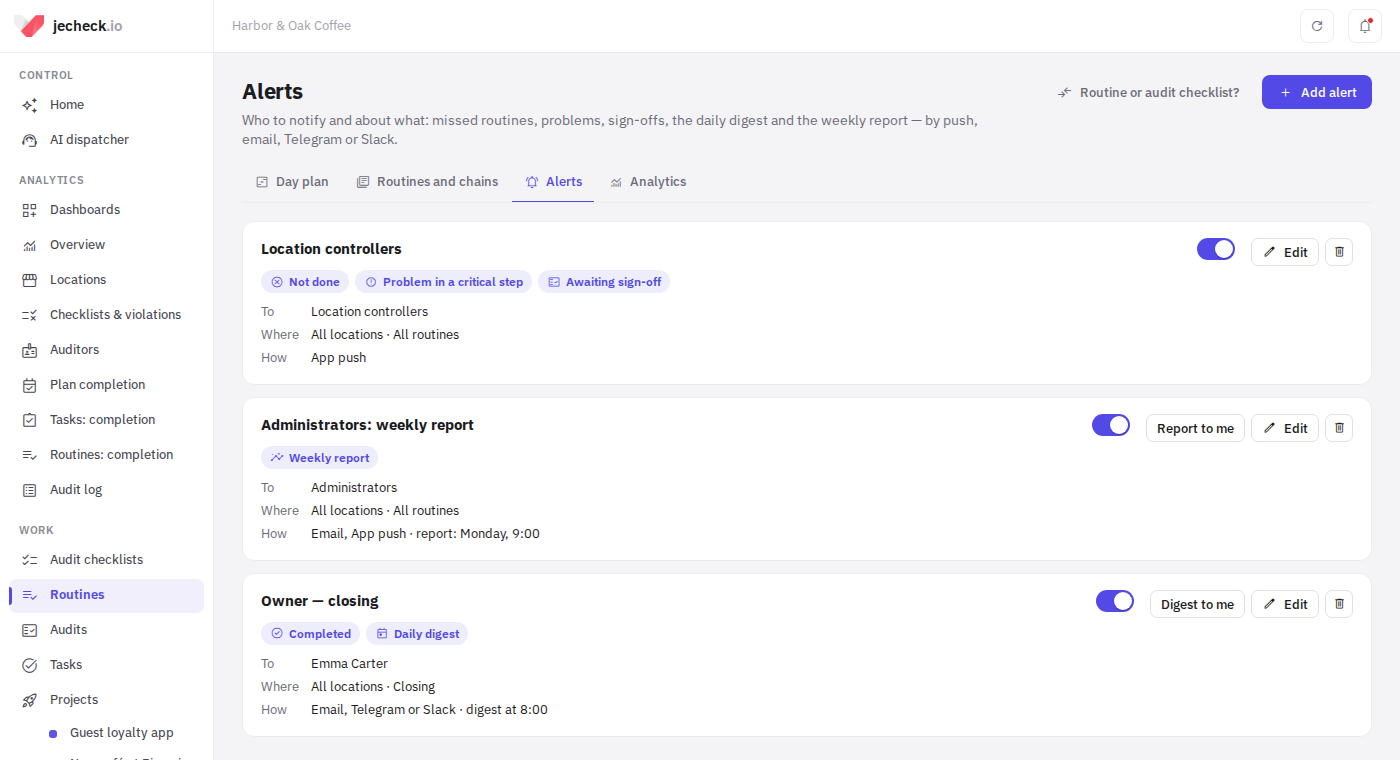
Default alerts
Every company starts with two alerts:
- Location controllers — a push about routines not done, problems in critical steps and routines awaiting sign-off.
- Administrators: weekly report — on Mondays at 9:00 by email and push.
You can change them, switch them off or delete them.
How to add an alert
-
Click Add alert.
-
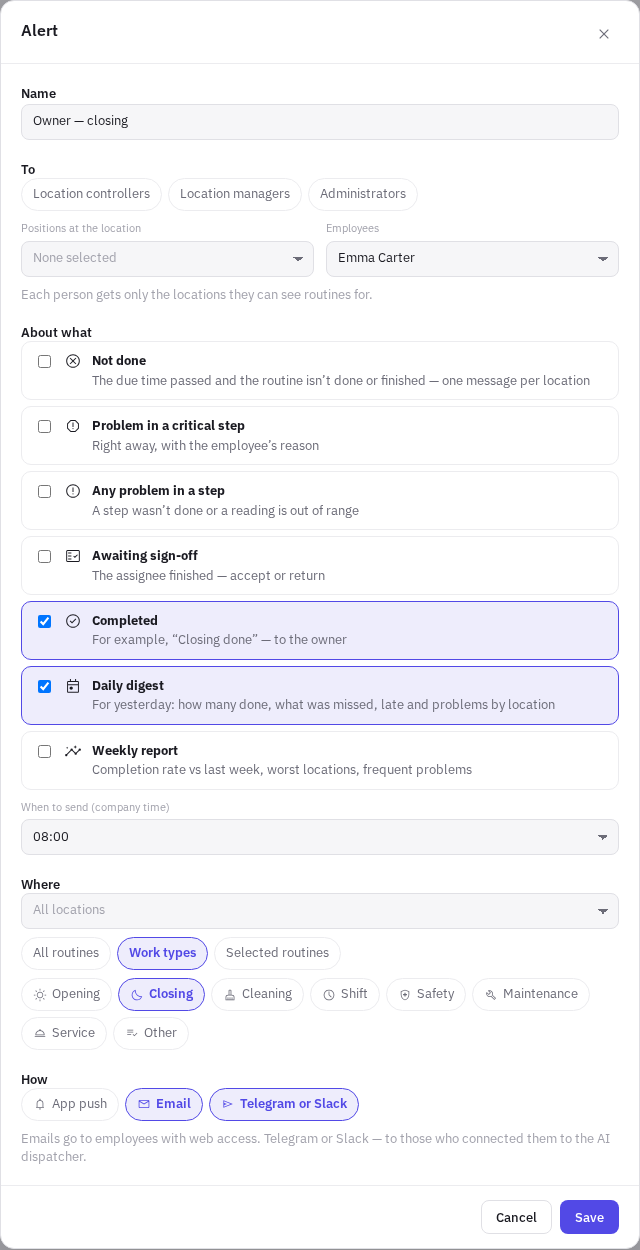
To — Location controllers, Location managers, Administrators, plus Positions at the location and specific Employees. Each person gets only the locations they can see routines for.
-
About what — tick the events:
- Not done — the due time passed and the routine isn't done or finished. Arrives as one message per location. Routines count if Notify the manager about failures is on in the builder.
- Problem in a critical step and Any problem in a step — right away, with the employee's reason.
- Awaiting sign-off — the assignee finished the routine; accept or return it.
- Completed — for example, tell the owner that closing is done.
- Daily digest — for yesterday: how many were done out of planned, what was missed, late and problems for each location. If there were no routines yesterday, no digest is sent.
- Weekly report — last week's completion rate compared with the week before, the worst locations, the steps that fail most often and the routines missed most often.
For the digest and the report, choose When to send (company time) and Weekly report day.
-
Where — all locations or selected ones; All routines, Work types (for example, only "Closing") or Selected routines.
-
How — App push, Email, Telegram or Slack.
-
Click Save.
Digest to me and Report to me send a test digest or report only to you, so you can see what they look like.
Channels
- App push — to the jeCheck app.
- Email — to employees with web access. Routine emails can be turned off with the link in the email or in the profile: Notifications → Routine alerts.
- Telegram or Slack — to those who connected them to the AI dispatcher, see AI dispatcher.
If an event matches several alerts, the person gets it once per channel.
Permissions
| Permission | What it gives |
|---|---|
| Routines: alerts | Set up the company's alerts |
You can receive alerts without this permission — you need access to the location's routines. More: Roles and permissions — who can access what.
FAQ
Why didn't the manager get a message about a missed routine?
Check that the alert is on, the location and the routine are in its settings, Notify the manager about failures is on for the routine, and the manager has access to routines at that location.
Can I get a report for one location only?
Yes: in Where, choose only that location.
Thank you! This helps us improve the help center.