Skip to content
Automation · closed loop

Run the audit. The rest happens on its own

Every violation from an audit becomes a task for the right person at that location, following your scenario rules: with a deadline, reminders, an “after” photo and a review. You set the rules once — jeCheck makes sure the issue is actually fixed.

Highlights

01

Nobody forwards anything

The auditor marks “No” — and the task is already with the chef, bar manager or maintenance team at that location, together with the photo from the audit.

02

Fixed means verified

The assignee attaches an “after” photo; the manager or auditor approves the work or sends it back with a reason.

03

Nothing gets stuck

Reminders before the deadline and when it is missed, escalation to a manager when it is overdue. Repeat violations are flagged “Repeat”.

Why it matters

The audit is done. Who fixes the issues?

After an inspection the manual work usually begins: go through the report, decide who should do what, post in a chat and then chase whether it was done. Some issues get lost and show up again at the next audit.

The usual way

  • The audit report sits in someone’s inbox; tasks are handed out manually — when there is time
  • Requests drown in work chats among hundreds of messages
  • “Done” is taken on trust, with no photo and no check
  • The same issue repeats from audit to audit and nobody notices

With jeCheck

  • A task is created automatically right after the audit — for the right role at that location
  • Deadline, reminders and escalation follow the scenario rules
  • “After” photo and sign-off: the manager or auditor approves the work
  • A repeat violation is flagged “Repeat” and visible at once
Automation · closed loop

Features

“When → If → Then” scenarios

A visual flow of blocks: drag in conditions, assignment, deadlines and requirements. The rules read top to bottom like an instruction.

The right person at every location

Roles are your job titles, and “the chef at this location” is a specific person at each site. If a role is vacant, the task goes to the location managers.

“After” photo and sign-off

The task can’t be closed without a photo. “Done” becomes “In review”: the manager or auditor approves the work or returns it with a reason.

Reminders and escalation

Push to the assignee before the deadline and when it is missed. A set time after the deadline, someone higher up is notified: managers, a role, a person or admins.

Repeat violations

The issue came back after the task was closed — the new task is flagged “Repeat”. While a task is still open, no duplicate is created: the assignee is told the issue was recorded again.

AI as an assistant

AI writes the task clearly (what to do and how to prove it), groups similar issues and compares “before” and “after” photos. A person always closes the task.

Scenarios

Rules that read like an instruction

A scenario is built from blocks in a visual editor. “When” is a violation in an audit, “If” is a condition with “yes” and “no” branches, “Then” is what to do. Start from a ready-made scenario and adjust it to your needs.

  • Conditions: question weight, section, location, repeat violation, audit score
  • Assign: role from the checklist, role at the location, managers, auditor or a specific employee
  • Deadline, “after” photo, sign-off, reminders and escalation
  • Grouping by section or by meaning (AI): one task instead of five pushes
  • “To digest”: minor issues go to the manager’s morning digest instead of becoming tasks
  • Ready-made “Standard”, “Strict control” and “Gentle” scenarios
Roles and locations

Every issue goes to someone who can fix it

Kitchen to the chef, bar to the bar manager, equipment to maintenance. The responsible role is set on a checklist section or question, and every location has its own people. Before going live, test the scenario on a real audit: you see who gets what, and nothing is sent.

  • Roles are the job titles from your directory
  • Each location has its own assignees and managers
  • Vacant role — the task goes to the location managers and is marked accordingly
  • Scenario preview on a real audit, without creating tasks
  • Scenario library: one per checklist or a company-wide default
  • Push in the employee’s language, deadlines in the location’s time zone
Control

Closed only when the result is visible

The task keeps the photo of the violation from the audit and the “after” photo from the assignee. The reviewer sees them side by side, optionally with an AI hint, and approves the work or returns it with a reason. Every event is written to the task log.

  • The “before” photo from the audit is attached automatically
  • Photo requirement: the task can’t be closed without an “after” shot
  • “Approve” or “Return for rework” with a reason
  • AI compares “before” and “after” — a hint; a person decides
  • Log: created, reminder, escalation, in review, approved, returned
  • Assignees work in the jeCheck app and on the web

How it works

  1. 1 Location teams

    Mark who is the chef, bartender or maintenance at each location, and who manages it.

  2. 2 Who is responsible

    In the checklist builder, set the responsible role on a section or question.

  3. 3 Scenario

    Start with the ready-made “Standard” scenario and make it the default for all checklists.

  4. 4 Test on an audit

    Run a preview on a past audit and check that tasks go to the right people.

Customers

Multi-site businesses already running on jeCheck

From fitness clubs in Almaty to restaurants in Moscow and Dubai — how our customers run their checks and tasks.

Bổ cafe restaurant: open kitchen and team
Case study · Restaurants Moscow · Dubai
Bổ cafe

The Moscow-based Bổ cafe chain runs the full cycle in jeCheck: a restaurant audit, an automated task for every issue, a fix with an “after” photo, sign-off and analytics across the whole chain.

20restaurants in the chain 2 countriesMoscow, other cities and Dubai Full cycleaudit → task → “after” photo → sign-off
«We have restaurants in different cities and in Dubai, and there’s no way to visit them all. In jeCheck an audit doesn’t end with a report: every finding immediately becomes a task, and it can only be closed with a photo. We can see what has been fixed and what hasn’t.»The Bổ cafe team
Read the case study →
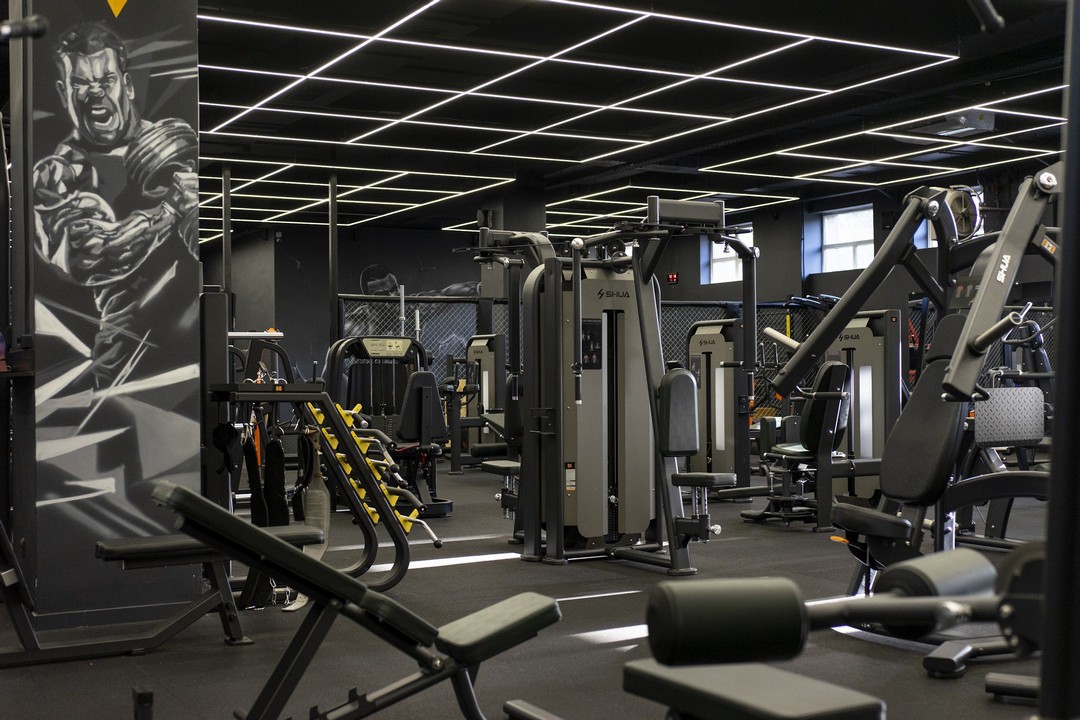
Gym floor at an S89 Fitness club in Almaty
Case study · Fitness Almaty, Kazakhstan
S89 Fitness

S89 Fitness moved everything that used to live on paper and in messengers into jeCheck — from the technical condition of each club to shift handover. Every employee uses the app, from club managers to cleaning staff.

6fitness clubs in Almaty Allstaff use the app, cleaning crew included 5modules: audits, tasks, automation, instructions, tests
«Checks used to be on paper, and breakdowns were posted in a group chat — some got fixed, some were forgotten. Now everyone completes their own checklist on the phone, and if something is wrong, the task goes straight to the technician or the administrator. No one has to call around the clubs anymore to find out what’s going on.»The S89 Fitness team
Read the case study →

All case studies →

Frequently asked questions

It means a violation from an audit doesn’t stay in the report. Following the scenario rules it becomes a task for the responsible person, with a deadline, reminders and escalation; the assignee proves the fix with an “after” photo and a reviewer approves it. If the issue comes back at the next audit, you see it right away.

Create a scenario from the “Standard” template and make it the default for all checklists. It works immediately: while roles at locations are not set, tasks go to the location managers. Then add roles and tasks will be routed more precisely.

The task goes to that location’s managers, or to company admins if there are none. The task is marked to show that the role at the location is not assigned.

No. AI assists: it writes the task text, groups similar issues and compares “before” and “after” photos. A person always decides whether to close the task. If AI is unavailable, the scenario keeps working by its rules.

They get a push in the jeCheck mobile app in their own language. The task contains the violation photo from the audit, a deadline in the location’s time and the requirements, such as an “after” photo. Tasks can also be handled on the web.

If there is already an open task for it, no new one is created — the assignee is notified that the issue was recorded again. If the previous task was closed, the new one is flagged “Repeat”.

Nothing: each task stores its rules (deadline, reminders, escalations) when it is created. The changed scenario applies to the next audits.

A regular task is created by a person. Automation creates tasks by your rules right after the audit, then reminds, escalates and requires sign-off on its own. Manual tasks are still available.

Run your first audit today

Sign up in a minute, start from ready-made checklist templates and use the mobile app right away. No card, no months-long rollout.

Message us on Telegram