
Routines analytics
The Analytics → Routines: completion section shows discipline: whether routines are done on time, where and when they fail, and which steps aren't done. The quality of the result is shown by audits — their average score is right next to it. You need the “Analytics” permission; the data covers the locations it applies to.
Filters
At the top are the period and locations, as in other analytics sections, and a routine selector (All routines or one).
Runs that are already due, plus those already done, are counted. Runs cancelled by a manager (location closed) aren't counted.
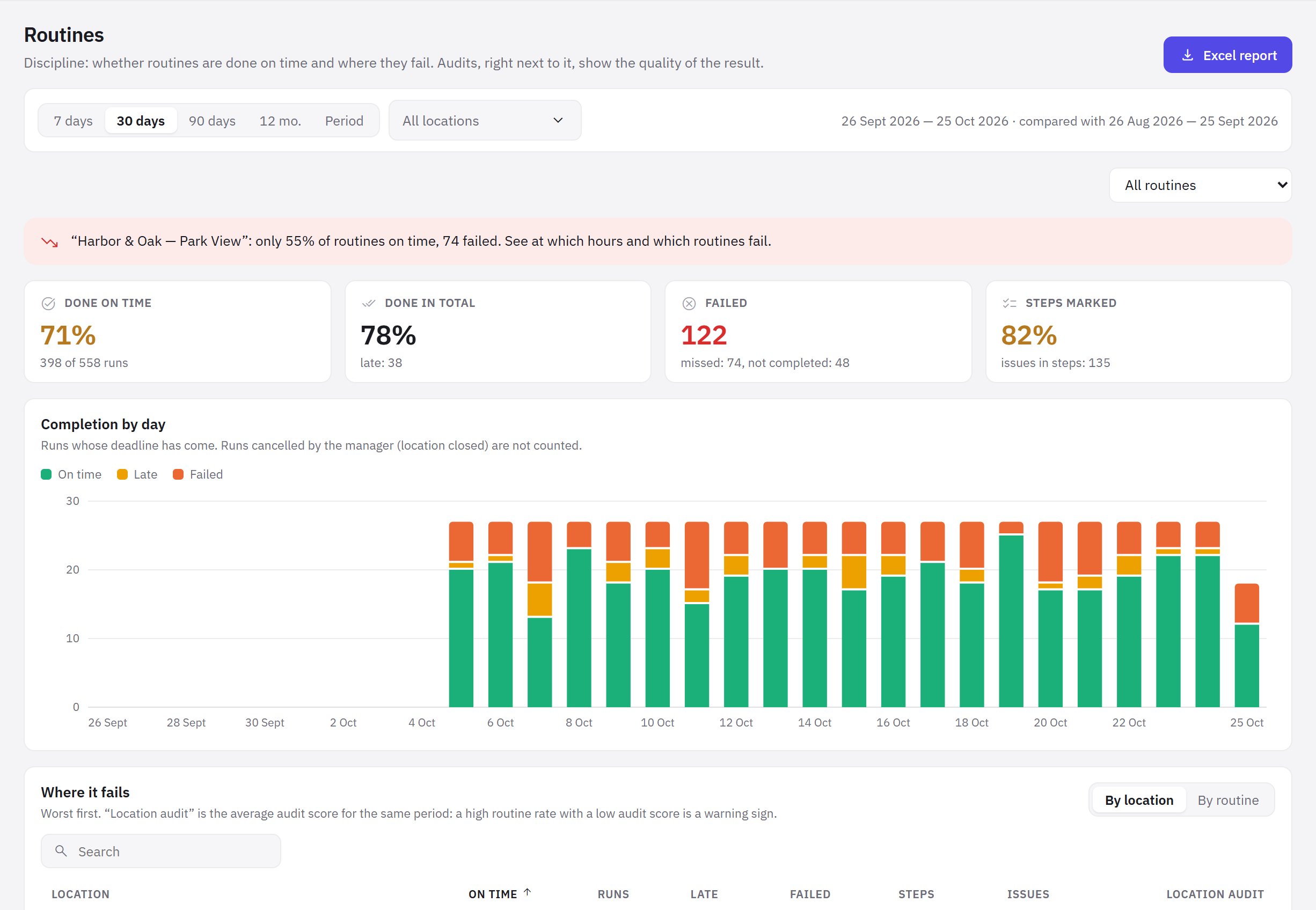
Metrics
- Done on time — the share of runs done without being late;
- Done in total — including those done late;
- Failed — missed and not completed;
- Steps marked — how many steps were marked and how many issues they had.
Blocks
- Completion by day — on time, late and failed for each day.
- Where it fails — by location and by routine, worst first. The Location audit column is the location's average audit score for the same period.
- Which steps are not done — steps with issues: “can't do it”, out of range, wrong code; how many times, at how many locations, the most common reason and how many tasks were created. A recurring reason is a sign to change the process, not the people.
- Failure hours — the share done on time by the hour the window starts.
- Employees — who completes routines and marks steps: marks, photos, reported issues.
- Failed routines — the last 30 missed and not completed, with a link to the run card.
Insights
Above the blocks, jeCheck writes conclusions when it sees a warning sign:
- almost all routines are done, but the audit score is low — the location does 85% or more of its routines on time, but its average audit score is below 70%. Steps seem to be marked without looking: compare the photos and run an unscheduled audit;
- the location fails routines — less than 70% done on time. See at which hours and which routines fail.
Frequently asked questions
Why is today's “on time” percentage lower than in the day plan?
Both count only runs that are already due, but analytics takes the whole selected period and all locations in the filter. Compare the same day and the same location.
Are routines included in the general analytics Excel report?
Not yet: view routine data on this page.
Thank you! This helps us improve the help center.