Checklists, mobile audits, automated tasks from violations, staff training and analytics across all your locations — in one system. Your auditor starts the shift, and you see the results a minute later.
Free to start
First audit in 15 minutes
No credit card
app.jecheck.io / analytics
Analytics
Checklists
Audits
Tasks
Scheduler
Reports
Average score
92.4%▲ 3.1 this month
Audits
1,284last 30 days
Open tasks
375 overdue
Score by location
Audit · Downtown store
Opening shift
Fridge temperatures
Dining area and display
Staff uniforms
Expiry dates in storage
violation photo
Checkout area
Complete audit
AI summary ready3 areas of concern · PDF
Task assignedCheck storage · by 6 pm
Offline · synced
1,000+locations audited in jeCheck
245,000+audits completed in jeCheck
15 minfrom sign-up to first audit
Freeto start on the Start plan
How it works
A closed quality loop: audit → task → result
Violations no longer get lost in group chats. Every audit turns into tasks, and every task into numbers on your dashboard.
01
Build a checklist
Start from an industry template or build your own, with sections, scores and weights.
02
Run the audit
On a phone, right at the location — with photos, comments and automatic scoring. Even offline.
03
Get an AI summary
AI reviews the results, highlights risk areas and suggests an action plan, as a PDF.
04
Follow through — automatically
Each violation becomes a task for the right person: deadline, reminders, an “after” photo and a review, by your scenario rules.
New Automation · closed loop
Run the audit. The rest happens on its own
Every violation from an audit becomes a task for the right person at that location, following your scenario rules. Deadline, reminders, an “after” photo and a review — no forwarding, no phone calls.
AuditTaskFollow-up“After” photoReview
closed loop
No
Fridge at +2…+5 °CAudit · Abay 10 · 09:00
“Standard” scenario · weight 3
TaskNewIn review✓ Done
Fridge at +2…+5 °C
PPeter · Chef
by 13:00
before
after
“After” photo
Manager reviews
Submit for reviewApprove✓ Approved
New task · by 13:00Peter, “Fridge at +2…+5 °C”
Reminder1 hour left until the deadline
1
The auditor marks “No”
The scenario decides who gets the task: the chef, bar manager or maintenance at that exact location.
2
The task goes out on its own
A push to the assignee with the violation photo and a deadline. A reminder before it, escalation when overdue.
3
Fixed means verified
The assignee attaches an “after” photo; the manager approves the work or returns it with a reason.
4
Repeats are visible
The issue came back at the next audit — the new task is flagged “Repeat”.
Ready-made scenariosPreview on a real auditPush in the employee’s language
Question weight, section, location, repeat, audit score — with “yes” and “no” branches.
Assign
Role from the checklist, role at the location, managers, auditor or a specific employee.
Deadline
How many hours to fix it — in the location’s time zone.
“After” photo
The task can’t be closed without a photo of the result.
Sign-off
The manager or auditor approves it, or returns it for rework with a reason.
Remind and escalate
Push before the deadline and when it’s missed, then up the chain.
Group and digest
Several issues — one task; minor ones go to the manager’s morning digest.
AI assistant
Clear task text and a “before/after” photo comparison. A person closes the task.
A day in the network
From opening shift to the owner's report — without a single phone call
This is an ordinary Tuesday for a business running on jeCheck.
8:00Opening-shift audit
The manager walks through the checklist in the app: display, fridges, staff uniforms.
8:24AI spots a problem
The summary flags storage-time violations in the stockroom — the third this week.
8:30Task to the owner
The scenario assigns the stock keeper a task with the violation photo and an end-of-shift deadline.
3:10 pmFixed and verified
An "after" photo is attached, the manager accepts the task — the violation is closed.
7:00 pmReport in the inbox
The owner gets the results by location — without opening a single spreadsheet.
Customers
Multi-site businesses already running on jeCheck
From fitness clubs in Almaty to restaurants in Moscow and Dubai — how our customers run their checks and tasks.
Case study · Restaurants
Moscow · Dubai
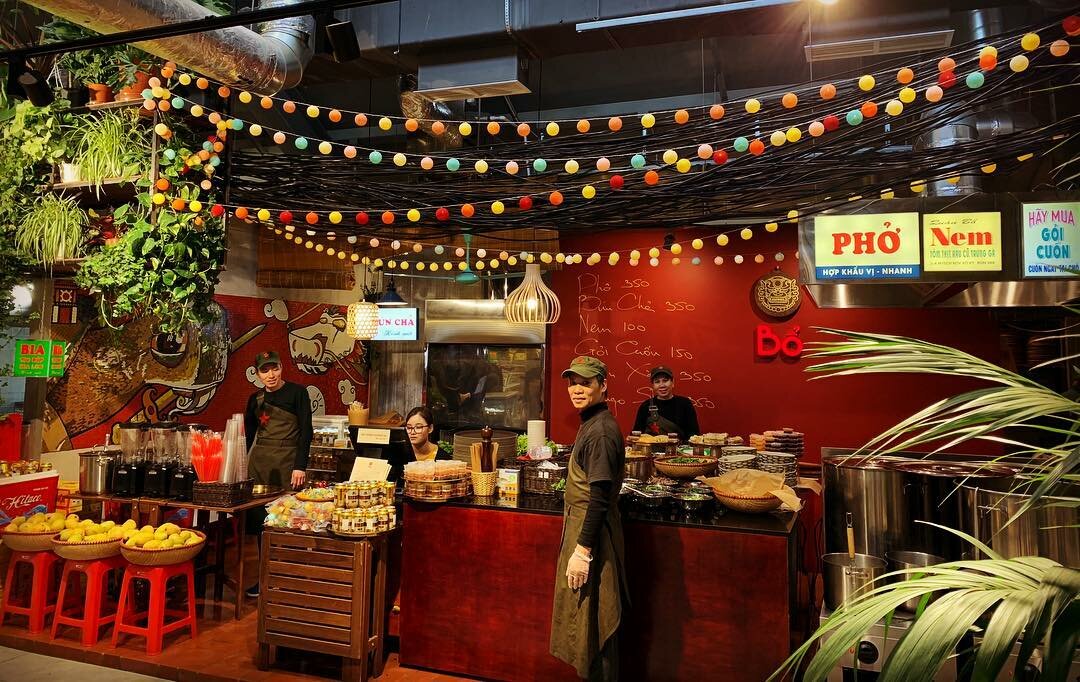
Bổ cafe
The Moscow-based Bổ cafe chain runs the full cycle in jeCheck: a restaurant audit, an automated task for every issue, a fix with an “after” photo, sign-off and analytics across the whole chain.
20restaurants in the chain2 countriesMoscow, other cities and DubaiFull cycleaudit → task → “after” photo → sign-off
«We have restaurants in different cities and in Dubai, and there’s no way to visit them all. In jeCheck an audit doesn’t end with a report: every finding immediately becomes a task, and it can only be closed with a photo. We can see what has been fixed and what hasn’t.»The Bổ cafe team
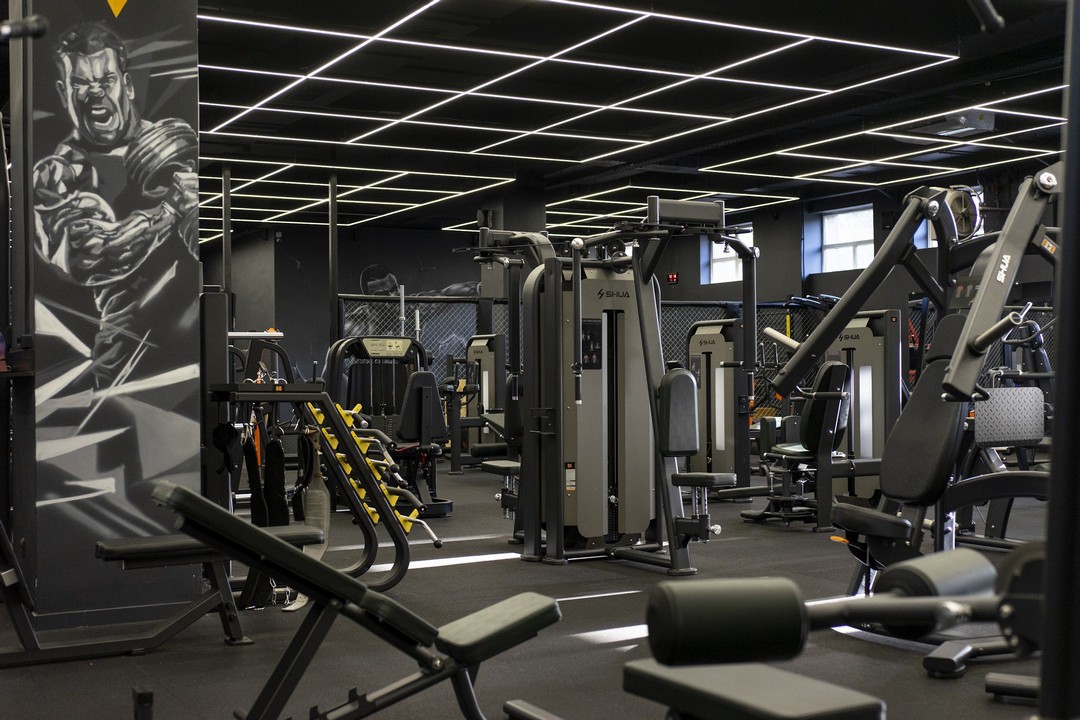
S89 Fitness moved everything that used to live on paper and in messengers into jeCheck — from the technical condition of each club to shift handover. Every employee uses the app, from club managers to cleaning staff.
6fitness clubs in AlmatyAllstaff use the app, cleaning crew included5modules: audits, tasks, automation, instructions, tests
«Checks used to be on paper, and breakdowns were posted in a group chat — some got fixed, some were forgotten. Now everyone completes their own checklist on the phone, and if something is wrong, the task goes straight to the technician or the administrator. No one has to call around the clubs anymore to find out what’s going on.»The S89 Fitness team
Turn your standards into digital checklists in one evening
Build a checklist from sections and questions, set scores and weights, and mark where a photo is required. Drag questions around, duplicate whole sections, start from a ready-made template.
Fridge temperature ≤ 4 °CYes / No · weight 3 · photo required
critical
⋮⋮
Prep labellingScale 1–5 · weight 2
⋮⋮
Clean work surfacesYes / No · weight 2 · photo
new
+ Add question
camera viewfinder
photo attached
Dining area · 10:14
the final score calculates itself
No signal — saved on the phone
Mobile app
Audits that get done, not postponed
The auditor opens the checklist on site and goes item by item. Photos straight from the app, a comment on any item, the score calculated automatically. No signal in the basement? Everything is saved and sent once the connection is back.
One tap from the audit creates a task with a photo, an owner, a priority and a deadline. The assignee reports back with an "after" photo, and the creator accepts the work or sends it back. Overdue tasks are visible instantly.
PrioritiesSubtasksComments and files"In review" statusLinked to the auditTags
Location ranking, score trends, the most frequent violations and problem questions. Compare locations and periods, drill down from the network to a single photo, export to Excel and PDF.
Instructions people actually read — and you can see it
Standards, SOPs and equipment guides in one knowledge base. Publish a new version and your team gets a push, reads it in the app and confirms they've read it.
Version history, side-by-side comparison of any two versions, and one-click restore.
The right audience
The whole company or only selected positions and locations.
Read confirmations
See who opened it and who confirmed. After a significant update, people confirm again.
Push reminders
Nudge anyone who hasn't confirmed yet — the reminder lands on their phone.
In the jeCheck app
Employees read on their phone or on the web and get a push when an instruction is published or updated.
QR code at the equipment
Print the instruction's QR code and place it next to the coffee machine, oven or dishwasher.
Scheduled reviews
"Review every N days" — overdue instructions are highlighted.
New Staff testing
Do your people know the standards? Check
A test built on your own SOP — by hand or with AI. Assign it to roles and locations: staff take it in the app or via a link, and you see who is ready for the shift and which topics are weak.
8 question types and critical questions: one mistake fails the test
AI drafts questions from the SOP text you paste
Auto-assignment to new hires, reminders and recertification
Proctored mode with a camera — for exams in the browser
Results, question analysis, Excel, PDF and certificates
Single choiceMultiple choiceTrue / falseShort textNumberOrderingMatchingOpen answer
Form submitted
The coordinator will review it and may return it with questions
Under reviewMain St 5
Shopper was on site · 40 m
48 minutes on site
Receipt attached
Photo taken on another day
Accept → audit
Link · no app
New Mystery shopper
How does a regular guest see your location? Find out
Send a mystery shopper a link — the assignment and form open in their phone browser, with no app or account. Geotag, visit timing, photos and the receipt show the visit was real, and an accepted form becomes an audit with a report and tasks.
Form by link or QR code — nothing for the shopper to install
“I’m here” with geolocation and visit timing at the tap of a button
Conversation audio recorded right in the browser, plus video and location photos
Automatic fraud checks: distance, time, photo dates, re-used photos, receipt
AI transcribes the recording and checks it against the form; the coordinator decides
Location ranking by shopper scores and a mystery shopper pool
Checklist, locations, visit window, cover story and scenario.
2. Link to the shopper
By email, messenger or QR code — no account needed.
3. Visit
“I’m here”, audio recording, answers with photos and the receipt.
4. Review → audit
Flags and AI show where to look. Accepted means audit.
New Staff scheduling and payroll
Shift schedules, clock-ins, timesheets and payroll — for the whole team
Build shift schedules for every location in minutes, and staff clock in on the location tablet with a PIN and photo. The timesheet builds itself from clock-ins, and pay is calculated from hours — with night and holiday rates, bonuses and KPIs.
Shift templates, 2/2 and 5/2 rotations, auto-fill by staffing demand
Checks: rest between shifts, hour limits, time off, expired health certificates
Clock-in with PIN and photo on a tablet, late arrivals and no-shows go straight to the manager
Printable timesheet, payroll sheet and payslips, Excel export
Time off, shift swaps and open shifts — by request with approval
HACCP without paper logs — built on your country's regulations
Temperature, staff health check, finished-dish quality and frying oil logs are filled in on a phone or tablet right in the kitchen. Any reading outside the critical limit instantly becomes a deviation with corrective actions, the HACCP plan is built following the 12 Codex steps, and everything prints in the required format for inspections.
How it works
1
Readings on schedule
A reminder arrives on time, and the limit is shown right next to the field. The server records the entry time; back-dated entries require a reason.
2
Deviation — instantly
A value outside the limit opens a deviation and sends a push notification to the location manager and the HACCP manager.
3
Corrective actions
Correction, product disposition, root cause and preventive measure — as Codex principle 5 requires. The repeat reading is linked to the deviation.
4
Verification
Critical deviations are closed by the HACCP manager. The inspection readiness index shows where the weak spots are.
Deviation: temperature control10 Abay Ave · just now
Deviation · criticalFridge 2: +8 °C
Products moved
Products released after assessment
Cause: door not sealing
Measure: door closer
inspection readiness
7 Codex principles
Every HACCP principle is a working tool, not a chapter in a binder
1Hazard analysis
Biological, chemical and physical hazards and allergens for every process step — with suggestions from the library.
2Critical control points
The 2022 Codex decision tree applied to every significant hazard.
3Critical limits
Minimum and maximum with a justification — a reference to the regulation or recipe card.
4Monitoring
A monitoring log is created from the CCP limits in one click: what, how, how often and who.
5Corrective actions
A deviation can't be closed until the correction, product disposition, root cause and preventive measure are recorded.
6Verification
A verification schedule: record reviews, internal audits, thermometer calibration, lab testing.
7Documentation
Approved plan versions, logs in the required format, the deviation register and the HACCP team order — as PDF.
Regulations
Choose a country — logs and limits adjust automatically
The country profile sets the log templates, forms and critical limits. Every requirement links to the document and clause, so inspectors and food safety specialists speak the same language.
HACCP is mandatory
HACCP at all food service establishments — DSM-16, clause 279
Minced meat products cooked to at least +85 °C, cutlet mixture products to at least +90 °C
Serving: soups and sauces at least +75 °C, main courses at least +65 °C, for no longer than 3 hours
Perishables stored at (4 ± 2) °C, delivered within one hour of packing
18log templates
20equipment and room types
Legal basis
TR CU 021/2011
DSM-16 sanitary rules for food service establishments
Order No. 62 of the Ministry of Health of Kazakhstan on production control
Production control based on HACCP principles
Logs follow the recommended forms from the SanPiN annexes
Hot dishes on the serving line — no longer than 3 hours after preparation
Storage and serving temperatures follow the manufacturer's conditions and recipe documentation: you set the limits
Risk assessment on the 4×4 scale from GOST R 51705.1-2024
11log templates
11equipment and room types
Legal basis
TR CU 021/2011
SanPiN 2.3/2.4.4282-26 (in force from 01.09.2026)
GOST R 51705.1-2024
HACCP is voluntary, sanitary control is mandatory
Deep cleaning and disinfection — recorded in a log
Frying at +160 °C, one batch of oil for no more than 12 hours
Soups and hot dishes in a bain-marie — no longer than 3 hours
Delivery records and daily staff health checks
9log templates
8equipment and room types
Legal basis
SanPiN No. 0027-22
Codex Alimentarius CXC 1-1969
International Codex methodology
7 principles and 12 Codex steps — not tied to national forms
Limits are set by your country's regulations and recipe cards
Prerequisite programmes structured by GHP sections
Ideal for entering new markets with one standard across the chain
6log templates
9equipment and room types
Legal basis
Codex Alimentarius CXC 1-1969 (rev. 2022)
ISO/TS 22002-2
Regulation-based logs
Storage temperature, staff health checks, finished-dish quality, cooking temperature, serving, frying oil, receiving, cleaning — with fields and limits from the regulations.
Schedules and reminders
At shift start, at set times, daily, weekly or monthly. Missed entries show up right away, and the manager gets a summary.
Deviation register
Every deviation with corrective actions, photos, a task to fix it and a review by the HACCP manager.
HACCP plan in 12 steps
Team, product description, flow diagram, on-site confirmation, hazards, CCPs, limits, monitoring — with a standard food service flow.
Equipment charts
Each fridge's temperature over the week against its acceptable range, plus deviation trends by location.
Staff
Health certificates, food hygiene training and HACCP training — with due dates and reminders.
Suppliers and calibration
Supplier food safety documents, thermometer verification and calibration — with due dates.
Inspection-ready
Readiness index and print-ready forms: the plan with CCP worksheets, logs for any period, the deviation register.
AI Artificial intelligence
AI reads your audits for you
Hundreds of answers, photos and comments become a short plan: what to fix, where, and in what order.
1
Analyses completed audits
Evaluates the answers and finds problem areas across locations.
Didn't find an answer? Write to us — we reply within one business day.
The Start plan is free, no card required: sign up and run your first audit the same day. Almost everything is free for one location — automation, testing, analytics, shift schedules and timesheets. The paid Network plan adds more locations, mystery shopping, AI, HACCP, payroll and KPIs. You can try Network free for 2 months: activate the promo in your account in one click, no card needed.
It analyses completed audits, evaluates the answers, builds an action plan and produces a short PDF summary with priorities.
No. In the Automation module you set up a scenario once, and every violation from an audit becomes a task for the right person at that location — with a deadline, reminders, escalation and an “after” photo review.
Yes. Build a test yourself or with AI from your own SOP and assign it to roles and locations — staff take it in the app or via a link. Results, question analysis, Excel, PDF and certificates are all in one place.
Yes. Create a visit based on your checklist and send the shopper a link: the assignment and form open in their phone browser, no app needed. Geotag, visit timing, photos and the receipt help confirm the visit happened, and after coordinator review the form becomes a regular audit with a report and tasks.
Yes. The HACCP module keeps digital food safety logs to the regulations of Kazakhstan, Russia, Uzbekistan or Codex, opens a deviation whenever a critical limit is exceeded, requires corrective actions and helps you build a HACCP plan in 12 steps. For inspections, the logs and the plan print in the required format.
Yes. In the Staff scheduling module you build shifts for every location (templates, 2/2 and 5/2 rotations, auto-fill), employees clock in on the location tablet with a PIN and photo, and the timesheet and payroll with night and holiday pay, bonuses and KPIs are put together automatically. Statutory taxes are not calculated — there is an Excel export for accounting.
Yes. Audits run offline right on the phone, and data syncs as soon as a connection is available.
Yes. Build checklists in the builder to match your standards — with sections, scores, weights and required photos.
There is Excel and PDF export, email reports and an API, so jeCheck fits into your existing processes.
Yes. The Start plan is designed for small teams, and when you add locations you simply move to the next plan — your data and checklists stay.
Each audit records geolocation, time, photos and the auditor's signature. All of it is visible in the audit report.
You can run a first audit 15 minutes after sign-up using a template. Moving your own standards into the builder usually takes an evening.

 Case study · Restaurants
Moscow · Dubai
Case study · Restaurants
Moscow · Dubai