
HACCP directories and module settings
HACCP directories hold everything the logs and the plan rely on: equipment with limits, staff documents, suppliers, the verification schedule and print forms. The HACCP → HACCP directories menu item opens equipment, and the other directories are in the tabs at the top of the page. Administrators and employees with the “Editing HACCP directories” permission can edit the directories.
Equipment
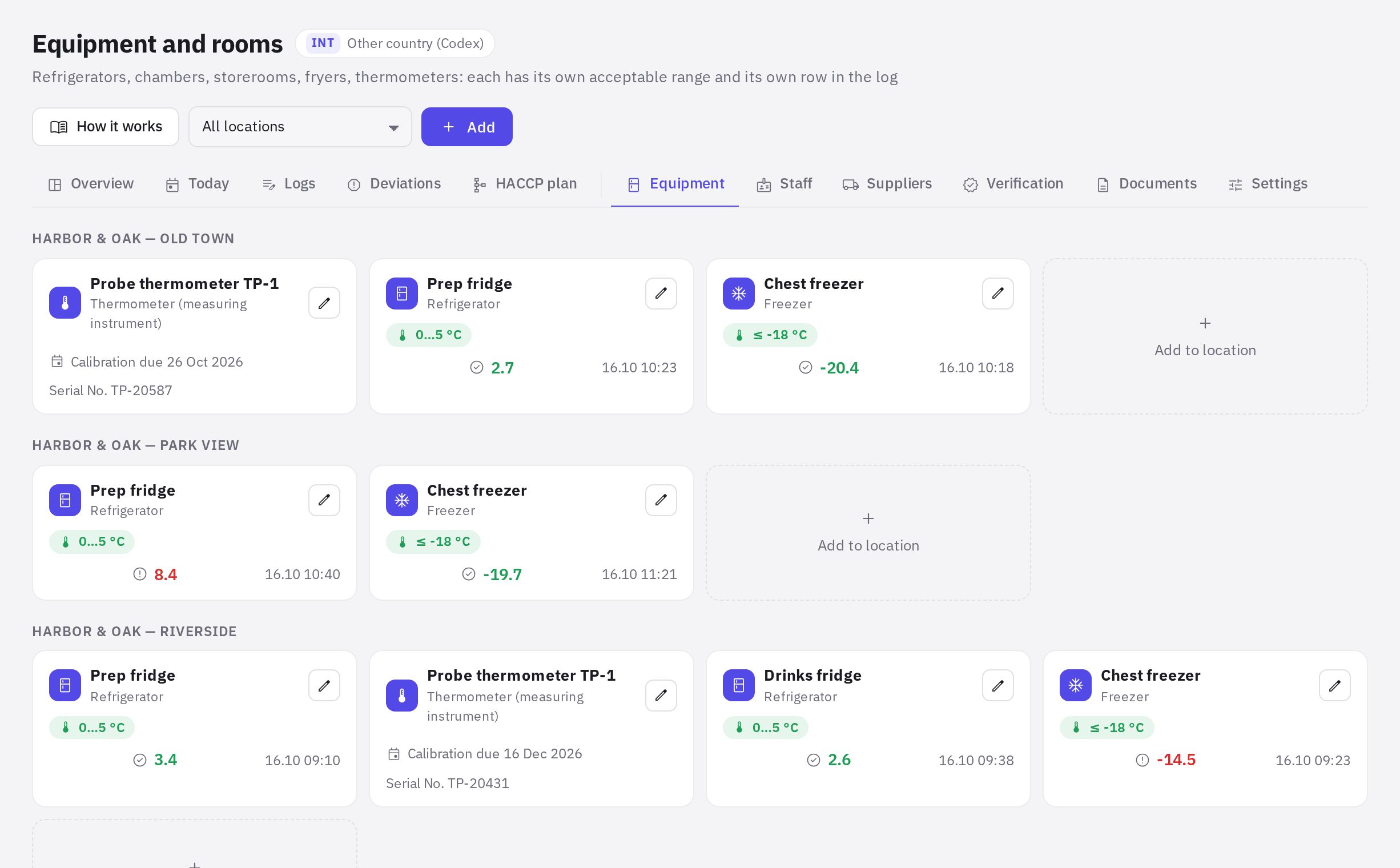
Equipment and rooms — fridges, cold rooms, storerooms, fryers, thermometers and more for each location. Each item has its own row in an equipment log and its own acceptable range.
- Add an item. Click Add (or Add to location next to the location you need).
- Fill in the card. Location, Type, Name, Serial number.
- Set the range. Under Acceptable range, enter the min and max for temperature and humidity. Leave it empty for no limit control. If the country profile has a nominal temperature for this type, it's shown as a hint; the company sets the range based on the manufacturer's storage conditions.
- Add calibration details. For measuring instruments, fill in Calibration: the last one and Next due by.
Turn off In use if the equipment isn't being used — it won't be included in the log schedule. When an item is deleted, its log entries are kept.
Staff
Staff — medical checks, hygiene training and HACCP training of location employees. Document types and their frequency come from the country profile (as set in the profile). The tab is visible to employees with the “Employee health records” permission and shows only employees of the locations where that permission applies; every view is recorded in the access log.
- At the top is a summary: how many employees, how many are fully compliant, who has a missing or expired document, whose documents expire soon.
- Filters: search, location, Only with issues.
- The Enter button opens Employee document: type, date completed, Valid until (with a hint based on the norm), number, issued by, scan or photo.
The state of staff documents counts towards the “Inspection readiness” score.
Suppliers
Suppliers — approved suppliers and documents confirming the safety of raw materials. The supplier card holds the name, tax ID (BIN / INN), contacts, products, status, rating (1–5) and date. Supplier documents (declarations, certificates, veterinary documents) are stored with their validity period; the list shows how many documents have expired or are about to expire.
Verification
Verification — the schedule of activities that confirm the HACCP system is working: record review, internal audit, calibration, laboratory testing, plan review. When the module is launched, the schedule is created from the country profile.
- An activity has a type, name, what is checked, Frequency, days, Next deadline and a responsible person.
- Record of conduct — date, result (No issues / Some concerns), findings, actions taken and files (protocol, report, laboratory results).
Verification is done by someone other than the person doing the monitoring. Assign a different employee as responsible for verification.
Documents
Documents — print forms for inspections, as PDF or for printing:
- HACCP plan and the team Order — for each plan, with a choice of version;
- Deviation and corrective action register for the selected period;
- Logs by form — per location for the selected month;
- the country profile's Regulatory framework.
Settings
HACCP settings are available to administrators and employees with the “HACCP settings, logs and sites” permission.
- Country and time: country regulations, time zone, shift start, HACCP team leader.
- Deadlines and notifications: how many minutes before an entry deadline to send a reminder, the grace period after the deadline (after which the entry counts as missed), the delay after which an entry is marked “entered late”, how many days in advance to warn about expiring documents, the HACCP plan review interval, how many months to keep records, whether to notify the manager about missed entries, and whether to notify about deviations.
- Keep records, months: log entries older than this are moved to the archive once a day — they're no longer shown in the log or included in print forms, but they aren't deleted (they're inspection records). Entries related to open deviations aren't archived. 0 means keep forever; if you increase the period or set it to 0, the entries come back from the archive.
- Locations: where HACCP is kept, type, number of seats, shift start and working days. Empty working days mean every day; on non-working days scheduled entries aren't required.
- HACCP permissions: who fills in logs, closes deviations, runs the plan, directories and health records is set in Roles and permissions; the Roles and permissions button opens it. The ready-made role is “HACCP technologist”.
The Setup wizard button opens the launch wizard again.
Frequently asked questions
Where can I see upcoming medical check and calibration deadlines?
On the HACCP overview page, in the Deadlines block — upcoming and overdue staff and supplier documents, instrument calibration, verification activities and the plan review.
Who can see the directories?
All employees with HACCP access see the equipment of their own locations, while the tabs and editing depend on permissions: Staff — “Employee health records”, Suppliers and Verification — “Editing HACCP directories” (also needed to change equipment and staff documents), Settings — “HACCP settings, logs and sites”, Documents — any of the plan, directories or settings permissions. Permissions are granted in Roles and permissions.
What happens if I change the country in the settings?
New log templates and forms will follow the selected country's regulations. Existing logs, limits and entries won't change — review them manually.
Thank you! This helps us improve the help center.