
Handing over cash by act and accepting it
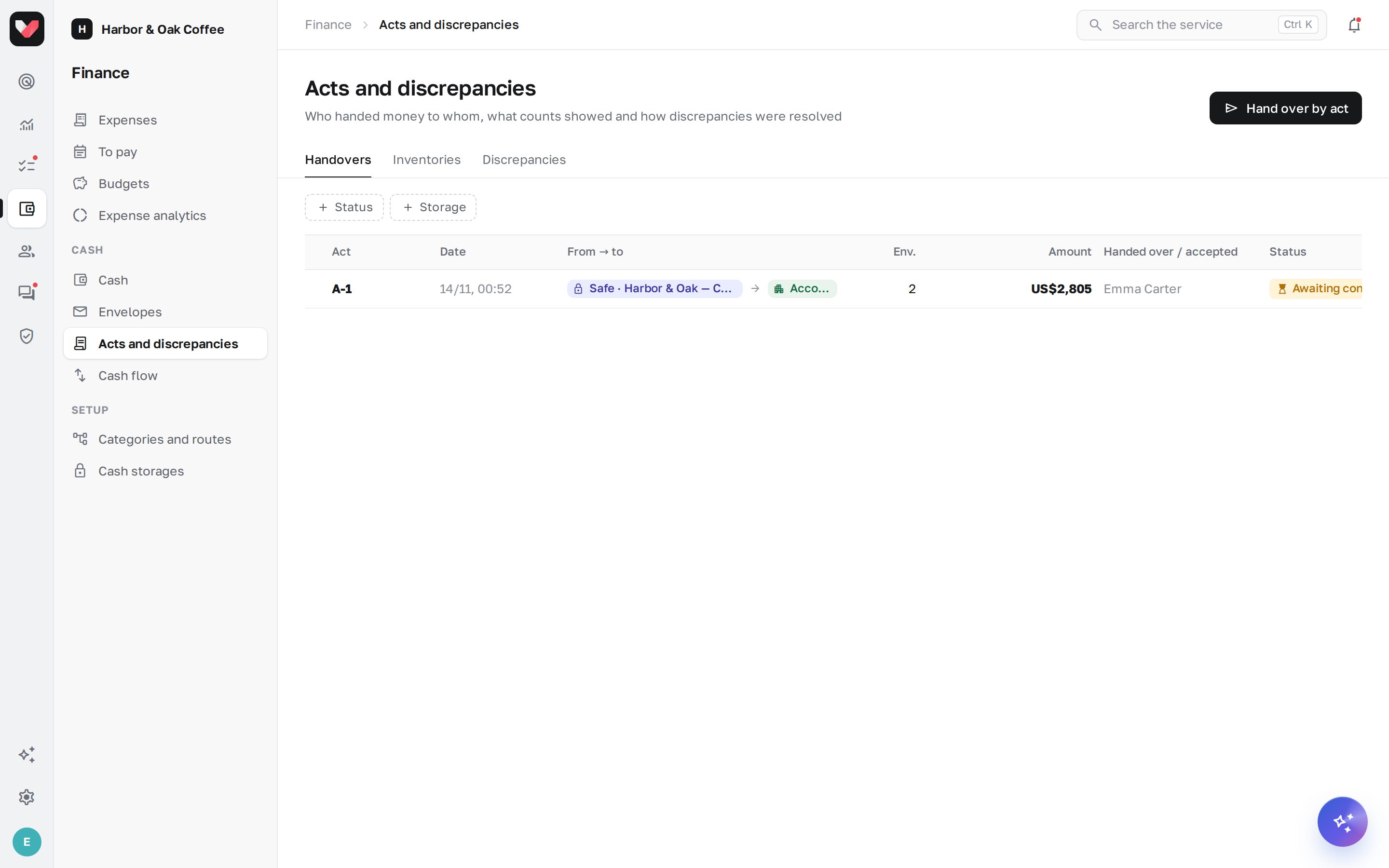
Cash changes hands only with a handover act: the café manager hands envelopes to the courier, the courier to the main cash office accountant, the main cash office to the bank. Until the recipient confirms the act, the money stays with the sender, and the envelopes are "in transit". This way it's always clear who is responsible for each envelope.
Hand over by act
- Open the window. On the Cash page, click Hand over by act — or the same button in the storage card.
- Choose from where and to whom. From — a storage you work with. To — a courier, the main cash office, the bank or another location's safe; the holders are shown next to the name. If the storage has "usually handed to" set, the recipient is filled in automatically.
- Select envelopes. The list shows the storage's sealed envelopes with number, shift, seal and amount; envelopes sitting too long are marked with the number of days. The checkbox in the header selects all.
- Add cash without an envelope, if needed. The Cash without an envelope field — an amount kept in the storage outside envelopes (for example, change). A hint shows how much is available; the All button fills in the whole balance.
- Sign and send. If signatures are turned on in the rules, sign with your finger or mouse in the Signature of the person handing over field. Click Hand over — the recipient gets a push notification and an email "accept cash".
If the recipient storage has no holder, only an employee with the Cash: settings permission can confirm the act.
Deposit to the bank
To deposit money to the bank, choose the bank in the To field and enter the Bank receipt / statement number. The button is called Deposit to bank: such an act is completed immediately, without confirmation, and the envelopes get the "Deposited to bank" status.
Accept cash
The recipient sees the act on the overview in the Awaiting your confirmation block — the Check and accept button. The act can also be opened from the notification or from the Acts and discrepancies → Handovers list.
- Check each envelope. The Present and Seal intact switches. If an envelope is missing, turn off Present — it will be marked as lost.
- Count, if needed. An envelope with an intact seal can be accepted as is, or opened with the counted amount entered. If the seal is broken, turn off Seal intact and it's best to count right away: a broken seal becomes a discrepancy in any case.
- Count cash without an envelope. If the act includes any, enter the Counted amount — as a total or by note. The act can't be accepted without it.
- Sign. If needed, leave a Recipient's comment and sign in the Recipient's signature field.
- Click "Accept". If everything matches — "Accepted with no discrepancies". If not, the act gets the "With discrepancy" status, and the section administrator gets a notification.
The sender can't confirm their own act — the recipient has to (the exception is an employee with the Cash: settings permission).
Blind acceptance
If Blind acceptance is turned on in the rules, the recipient doesn't see the declared amounts — neither per envelope nor the act total, only the number of envelopes. They count the money and mark each envelope, and the amounts are compared after confirmation. This way the main cash office accountant counts honestly rather than "fitting" the expected figure.
Refuse or withdraw
- Don't accept — the recipient refuses the act, giving a reason. The envelopes go back to the sender, who gets a notification with the reason.
- Withdraw act — the sender withdraws the act before it's confirmed. The envelopes return to the sender's storage.
Act statuses
| Status | What it means |
|---|---|
| Awaiting confirmation | the recipient hasn't accepted yet, the envelopes are in transit |
| Accepted | everything matched |
| With discrepancy | accepted, but there's a shortage, surplus, lost envelope or broken seal |
| Not accepted | the recipient refused, the envelopes went back |
| Withdrawn | the sender withdrew the act |
Signatures and PDF
If Signatures on acts is turned on, the person handing over and the person accepting sign on the screen — with a finger on a phone or with a mouse. Signatures with the name and time are shown in the act and included in the PDF. The Act in PDF button in the act header opens a printable handover act with envelopes, amounts, marks and signatures.
Frequently asked questions
What happens if the recipient opened an envelope and there's less money?
The act is accepted with the "With discrepancy" status: the actual amount goes into the recipient's storage, and the difference becomes a discrepancy with the sender (or the envelope's cashier) as the responsible person. How to review it — see Discrepancies and inventory.
Can money be transferred from one location's safe to another's?
Yes. In the To field, choose the other location's safe — for example, to give change to a neighboring salon. Money can be accepted into a location safe by its manager or by an employee with the Cash: location till permission for that location.
Does the courier get a reminder?
Yes. If the storage has collection days set, on those mornings the safe holders and the person who collects get a reminder. An act that has been awaiting confirmation for more than 12 hours also goes into the morning digest.
Thank you! This helps us improve the help center.