
How to hand in a shift takings envelope
An envelope is the main unit of cash tracking. At the end of a shift, a café cashier or a salon administrator puts the takings in an envelope or safe bag, seals it and hands it in to the location safe. The envelope gets a number (for example, E-12), and from then on you can see where it is and whose hands it has passed through.
What you need
- the Cash: location till permission for this location, or being a holder of the location safe;
- the cash amount from the till's Z-report;
- the seal or safe bag number, if your company requires it.
Step by step
- Open the window. On the Cash or Envelopes page, click Hand in envelope. You can also do it from the safe card — the Hand in envelope button.
- Specify the safe, cashier and shift. Select the Safe and Cashier, check the Shift date and, if you like, mark the shift with a button: Morning, Day, Evening or Night.
- Enter the till amount. In the Per till (Z-report) field — the cash according to the till report. If the envelope amount is different, a warning appears below the fields right away: "The envelope has … less than the till — there will be a shift discrepancy".
- Enter the seal. Seal / safe bag — the number from the bag or seal. One seal — one envelope in circulation: the same number won't be accepted a second time.
- Specify how much is inside. In the In the envelope field, enter the amount As a total or count it By note — the total adds up automatically.
- Add a photo and a comment. The Envelope photo is taken with the phone camera right in the browser. Add a comment if something needs explaining.
- Hand it in. Hand in to safe — the envelope goes into the safe. Hand in and print slip — also opens a slip label with a QR code that you can stick on the envelope.
Which fields are required — seal, till amount, photo — is decided by the section administrator in Cash storages → Rules. See Storages and cash flow.
Shift discrepancy
If the envelope doesn't hold as much as the till shows, jeCheck records a shift discrepancy against the cashier. The money itself doesn't move: exactly what was put in goes into the safe. A difference within the tolerance (small change, rounding) isn't counted as a discrepancy. To review a discrepancy, see Discrepancies and inventory.
Envelope list
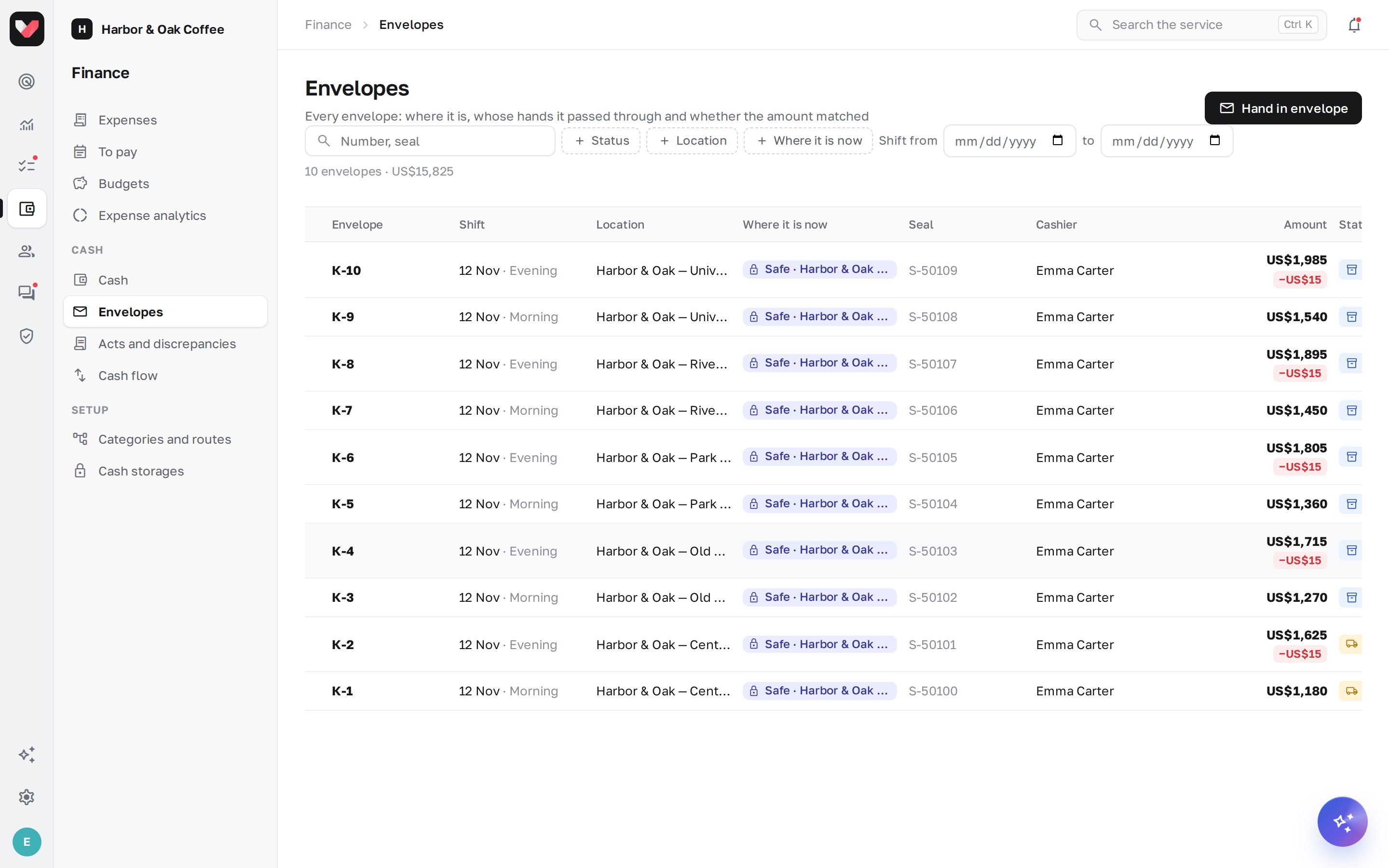
The Envelopes page lists all envelopes with number, shift, cashier, seal, amount and Where it is now. Filters: Status, Location, Where it is now, shift from … to …, search by number and seal.
| Status | What it means |
|---|---|
| In storage | in a safe, with a courier or in the main cash office |
| In transit | included in an act the recipient hasn't confirmed yet |
| Counted | opened, the money has been counted |
| Deposited to bank | handed over to the bank |
| Lost | not found on acceptance or inventory |
| Voided | handed in by mistake and removed from the records |
Click an envelope to open its card: amount, count, location, shift, cashier, seal, till amount and the Envelope path — when it was handed in, who handed it over, who accepted it, when it was opened or deposited to the bank. The print button in the card header opens the Envelope slip again.
Voiding an envelope
If an envelope was handed in by mistake (for example, the money is already accounted for in another envelope), an employee with the Cash: settings permission opens the card and clicks Void. The envelope amount is removed from the storage balance, and the reason is saved in the envelope path.
Frequently asked questions
The cashier made a mistake in the amount — what should I do?
An envelope can't be edited after it's handed in. If the amount is wrong, it can be voided and handed in again; and if the difference is found on counting, it becomes a discrepancy that the administrator decides on.
Can several envelopes be handed in during one shift?
Yes. Each envelope is handed in separately with its own seal — for example, the morning and evening shifts of a coffee shop.
Can an envelope be handed in from a phone?
Yes, in the phone's browser: the Hand in envelope window works on a mobile screen, and the photo is taken with the camera.
Thank you! This helps us improve the help center.