
Bot channels: Telegram, WhatsApp, Instagram and website chat
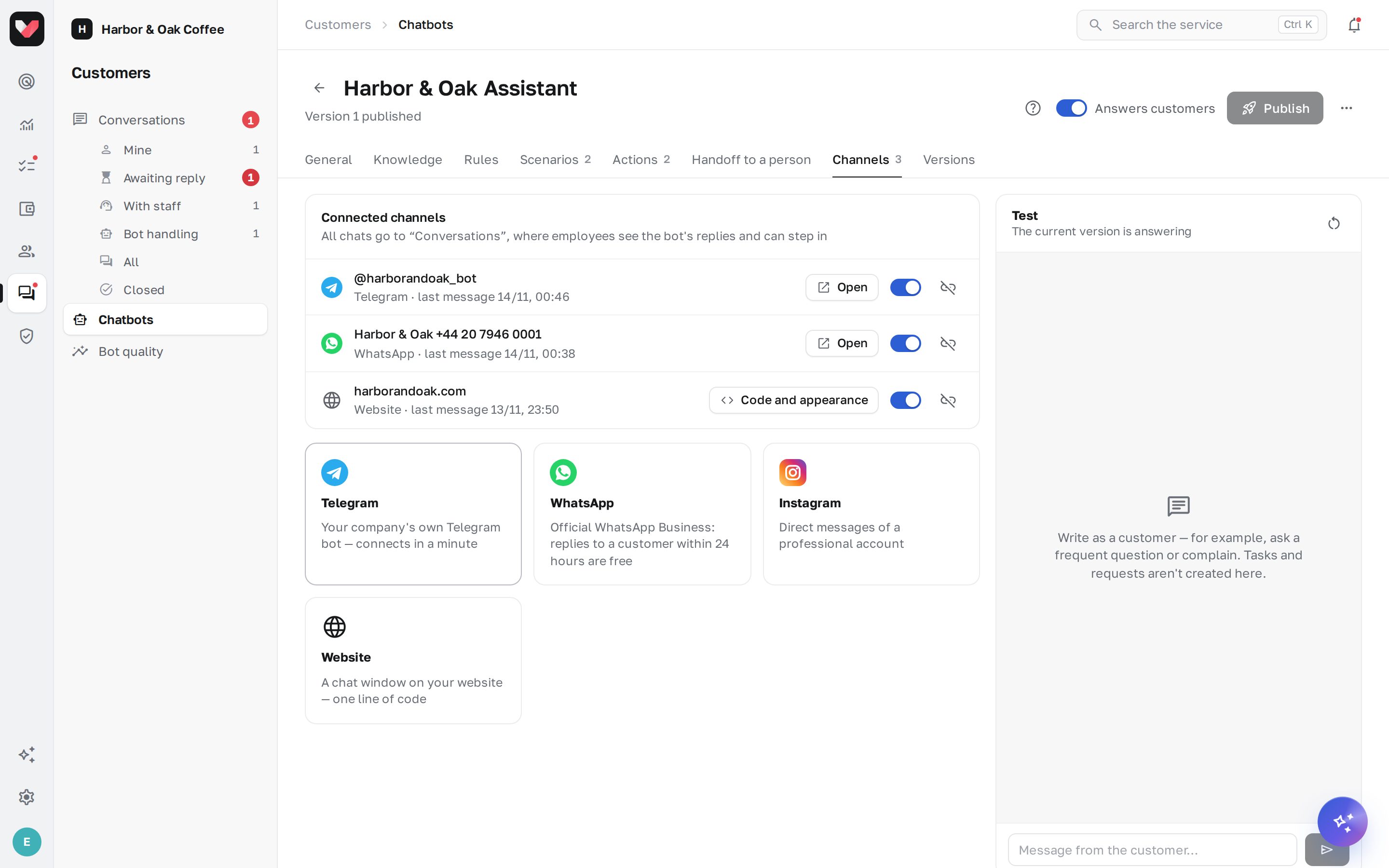
Channels are connected on the Channels tab of the bot editor. One bot can have several channels, and all conversations end up in Conversations. If a channel belongs to one location, specify it when connecting, and the bot won't ask the customer which location they mean.
Telegram
Your company's own Telegram bot is connected in a minute:
- Open @BotFather in Telegram and send
/newbot. - Choose a name and a username for the bot — the username must end in
bot. - Copy the token from BotFather's reply.
- In jeCheck, click Telegram, paste the Bot token and click Connect.
The bot replies only in private messages. The link to the bot (t.me/…) appears in the channel list — put it on your website, in the menu and on tables.
The official WhatsApp Business (Cloud API) is used — with no risk of the number being banned. Replies to a customer within 24 hours of their message are free.
Via Meta (recommended). Click WhatsApp → Log in with Meta: in the Meta window, log in to Facebook, choose or create a business account and verify the number by SMS. Create a 6-digit Two-step verification PIN.
Manually. If you already have WhatsApp Business set up:
- In Meta Business Suite → WhatsApp Manager, add the number and complete verification.
- Create a system user with the
whatsapp_business_messagingpermission and generate a permanent token. - Paste the Access token, Phone number ID and WhatsApp Business Account ID.
A number connected to the WhatsApp Business API can't be used in the regular WhatsApp app on a phone at the same time. Use a separate number for the bot.
The 24-hour window
WhatsApp allows free-form messages to a customer only within 24 hours of their last message. If the window is closed, Conversations shows a warning, and an undelivered message shows the reason.
You need a professional Instagram account (business or creator). In the Instagram app, open Settings → Messages and story replies → Message controls and turn on Allow access to messages.
Then in jeCheck click Instagram → Log in with Instagram and confirm access. The connection is renewed automatically.
As with WhatsApp, the 24-hour window applies. An employee's reply can be sent within 7 days — jeCheck marks it as a human reply automatically.
Website chat
- Click Website and list the Websites where the chat will appear, separated by commas (
shop.kz, www.shop.kz) — the window won't open on other websites. Empty — any website. - After connecting, click Code and appearance and copy the Website code.
- Paste the code on all pages of your website before the closing
</body>tag.
In the Code and appearance window you can set the window title and subtitle, the greeting, the button color and side. Visitors can attach photos and documents; the conversation history is stored in their browser.
Pausing and disconnecting
- The switch next to a channel — temporarily stop accepting messages from that channel.
- Disconnect — the bot stops replying in the channel. The conversations stay in Conversations.
- If a token stops working (for example, it was regenerated), the channel shows an Error mark and the reason — reconnect the channel.
Frequently asked questions
Can I connect one Telegram bot to two jeCheck bots?
No. One Telegram bot, one WhatsApp number or one Instagram account works with one jeCheck bot. If you connect it again, the channel moves to the new bot.
How much does WhatsApp cost?
Meta doesn't charge for replies to a customer within 24 hours of their message. Only template broadcasts are paid, and the bot doesn't send them.
Why doesn't the bot see messages in Instagram?
Check that the account is professional and that Allow access to messages is turned on in the Instagram message settings.
Thank you! This helps us improve the help center.