
Interface language and report language
jeCheck has two separate languages: the interface language, which is personal to each employee, and the report language, which is shared by the whole company. So a manager can use the dashboard in English while reports for locations come out in Russian.
Available languages
Русский (Russian), English, Қазақша (Kazakh), Oʻzbekcha (Uzbek, Latin script), ქართული (Georgian), Հայերեն (Armenian), Srpski (Serbian, Latin script) and Deutsch (German) — for both the interface and reports.
Interface language (personal)
Sets the language of the menu, web dashboard pages and your personal notifications.
-
Open your profile. Click your name at the bottom of the side menu and choose Profile.
-
Choose a language. In the Interface language card, pick a language from the list.
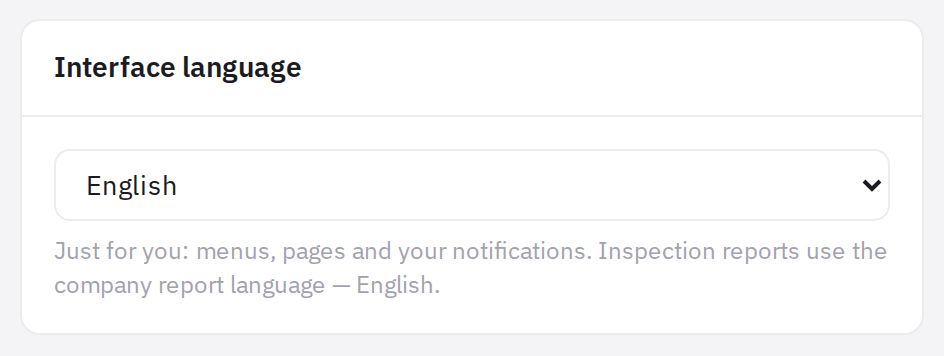
The Interface language card in the profile -
Wait for the reload. The page reloads in the new language.
The Company default (…) option means the interface follows the company's report language: if an administrator changes it, your interface changes too. This option is everyone's default. Until you pick your own language, signing in uses the language of the sign-in page (the one chosen with the switcher, otherwise your browser language): if it differs from the company language, it becomes your interface and email language. A language picked with the switcher on the sign-in page is always saved.
Language in the mobile app
In the jeCheck app, the language is chosen under Profile → Interface language. If it is one of the eight dashboard languages, it is saved as your personal interface language: push notifications and emails arrive in it, and the web dashboard opens in it too. The app also has other languages — choosing one of them changes only the language of the app itself, and notifications keep arriving in the previous language.
Report language (company-wide)
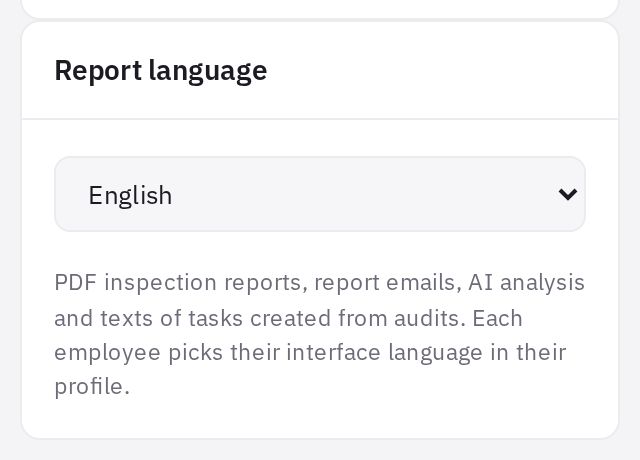
Sets the language of:
- PDF audit reports;
- report emails;
- AI analysis;
- the text of tasks created from audits.
Where to choose it: Settings → the Company tab, Report language card. Your choice is saved immediately. The report language can be changed by an administrator or an employee with the “Company settings” permission.
At registration, the report language is set by the company’s country: Russian for Russian-speaking countries (for example, Kazakhstan, Uzbekistan, Kyrgyzstan, Belarus), otherwise the language of the registration page, or English if that page was in Russian. Your personal interface language is the language of the registration page.
How they work together
| What | Which language |
|---|---|
| Web dashboard menu and pages | the employee's interface language |
| The employee's personal notifications | the employee's interface language |
| PDF audit report, report email | the company's report language |
| AI audit analysis | the company's report language |
| Automatic violation tasks | the company's report language |
Text you write yourself — checklist names, questions, instructions — is not translated: it's shown exactly as you entered it.
Frequently asked questions
Why did the interface switch to another language when I didn't change anything?
Most likely your profile is set to Company default and an administrator changed the report language. Choose your language in Profile → Interface language — then it no longer depends on the company setting.
Can I get PDF reports in different languages for different locations?
No. There is one report language for the whole company.
Are there other languages besides these?
For now, only these eight are available in the dashboard.
Thank you! This helps us improve the help center.