
 S89 FitnessFitness · Almaty, Kazakhstan
S89 Fitness: six fitness clubs in Almaty, no paper and no group chats
S89 Fitness moved everything that used to live on paper and in messengers into jeCheck — from the technical condition of each club to shift handover. Every employee uses the app, from club managers to cleaning staff.
At a glance
Before jeCheck — and after
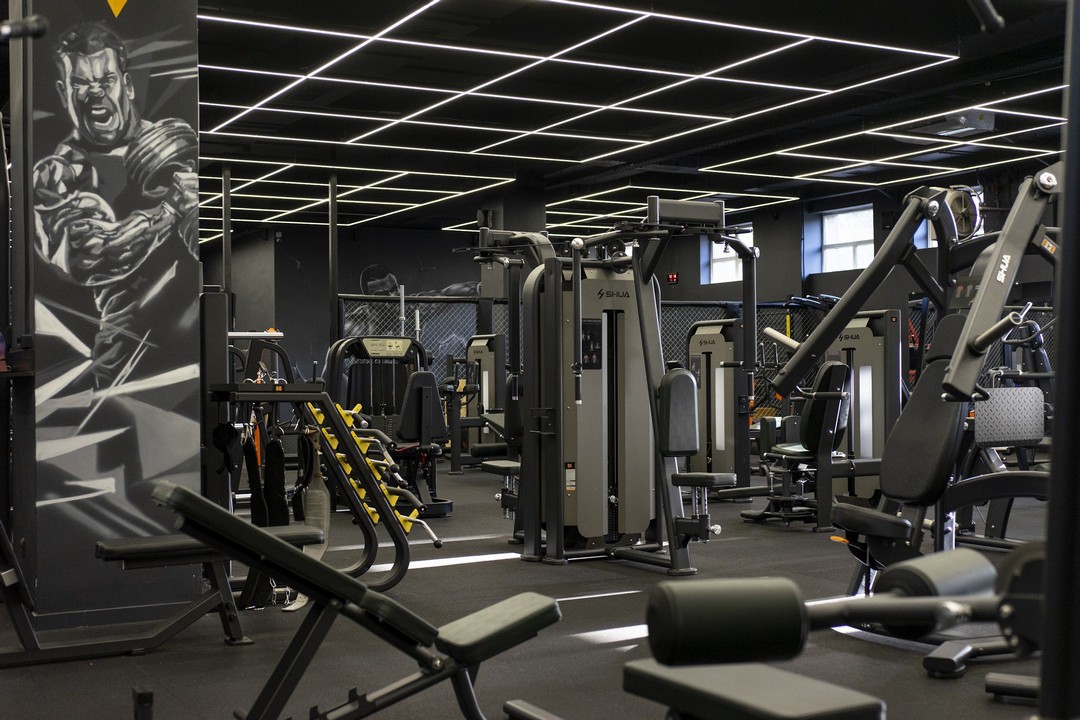
Checks were done on paper forms, and problems were reported in work group chats. The forms never added up to a picture of the whole chain, and messages about breakdowns got lost in the chat — it was hard to tell what had been fixed and what hadn’t.
An ordinary day at an S89 club in jeCheck
Checklists are built into the working day: every employee has their own, from the front desk to the cleaning staff.
-
Morning
Opening the shift
The administrator runs the opening checklist: gym floors, lights, ventilation, locker rooms, front desk.
-
Daytime
Facility round
Machines, building systems and club areas, with photos. A fault becomes a task right away.
-
All day
Cleanliness
Cleaning staff tick off their areas with a checklist, so it’s clear what was cleaned and when.
-
Shift change
Shift handover
The shift is handed over and accepted with a checklist: what is fine, what is in progress, what is left.
-
Evening
Closing
The club closes to standard, and management sees the day’s results across all clubs.
A breakdown no longer gets lost in the chat
If something is wrong during a round, the employee creates a task with a photo in one tap. It has an owner and a deadline, and it is closed with an “after” photo.
- An owner and a deadline for every task
- A photo of the problem and of the fix
- Management sees what is in progress and what is overdue
Tasks run themselves — no calls, no forwarding
S89 has automation scenarios set up: when a checklist item fails, jeCheck creates a task for the right person at that club, sets a deadline, sends reminders and escalates if the deadline passes. Management doesn’t have to forward anything to anyone.
- A failed checklist item instantly becomes a task for the right role at that club
- Reminders before the deadline and escalation to the manager when it’s missed
- Tasks are closed with an “after” photo; the manager accepts the work or sends it back
- Repeat issues are flagged as “Repeat”
Club standards on everyone’s phone
How to open the club, how to take over a shift, how to look after the equipment — it’s all in the instruction library. When a standard changes, staff get the new version and confirm they have read it.
- Step-by-step instructions with photos
- Versions and read confirmations
- Available in the app at any time
Tests show whether staff know the standards
Knowledge is checked with tests built on the same standards as the instructions. It’s clear who is ready to work independently and who needs to catch up.
- Tests on the club’s own standards
- Assigned by role and club
- Results and certificates in one place
What changed
- Checks, shifts and tasks for all six clubs live in one system instead of paper and chats.
- Management sees the state of every club without having to visit.
- Tasks from issues are created and followed up automatically: each has an owner and a deadline, and anything overdue goes straight to the manager.
- New hires learn the same standards they are later checked against.
«Checks used to be on paper, and breakdowns were posted in a group chat — some got fixed, some were forgotten. Now everyone completes their own checklist on the phone, and if something is wrong, the task goes straight to the technician or the administrator. No one has to call around the clubs anymore to find out what’s going on.»
Run your first audit today
Sign up in a minute, start from ready-made checklist templates and use the mobile app right away. No card, no months-long rollout.